Breaking into realism with AI
AI isn't magic. It hallucinates, misses context, and confidently produces junk. But if you understand where it's useful, it becomes powerful for amplifying what you do.
My good pal David Burns often talks about the "force multiplier" effect that AI can create for those with expertise. He and Dan Makarov talk about this in the testing context in this video.
Research on AI and developer productivity tells a messy story. Juniors see larger relative productivity gains (MIT/Microsoft, 2024), but seniors ship more AI-generated code to production and trust it more because they can spot when it's wrong (Fastly, 2025).
My expectation is that staff engineers should be helping juniors build those verification skills by adding guardrails so AI assists, rather than replacing judgment.
Here are some of the ways I've been using it lately.
Tightening Feedback Loops
The fastest way to unblock someone is to shrink the gap between "I wonder if..." and "here's what that looks like." AI is surprisingly good at this:
- Prototyping rough ideas before investing real engineering time
- Scaffolding build setups so you're not starting from zero
- Moving docs into git
- Creating throwaway charts and dashboards to explore ideas before committing to a proper implementation
None of this replaces careful review. But it gets you to something concrete faster, with faster feedback and less waste.
Offloading Cognitive Load
Engineering requires deep concentration, or at least it used to. AI can act as a scratchpad you think out loud to, holding context while you context-switch.
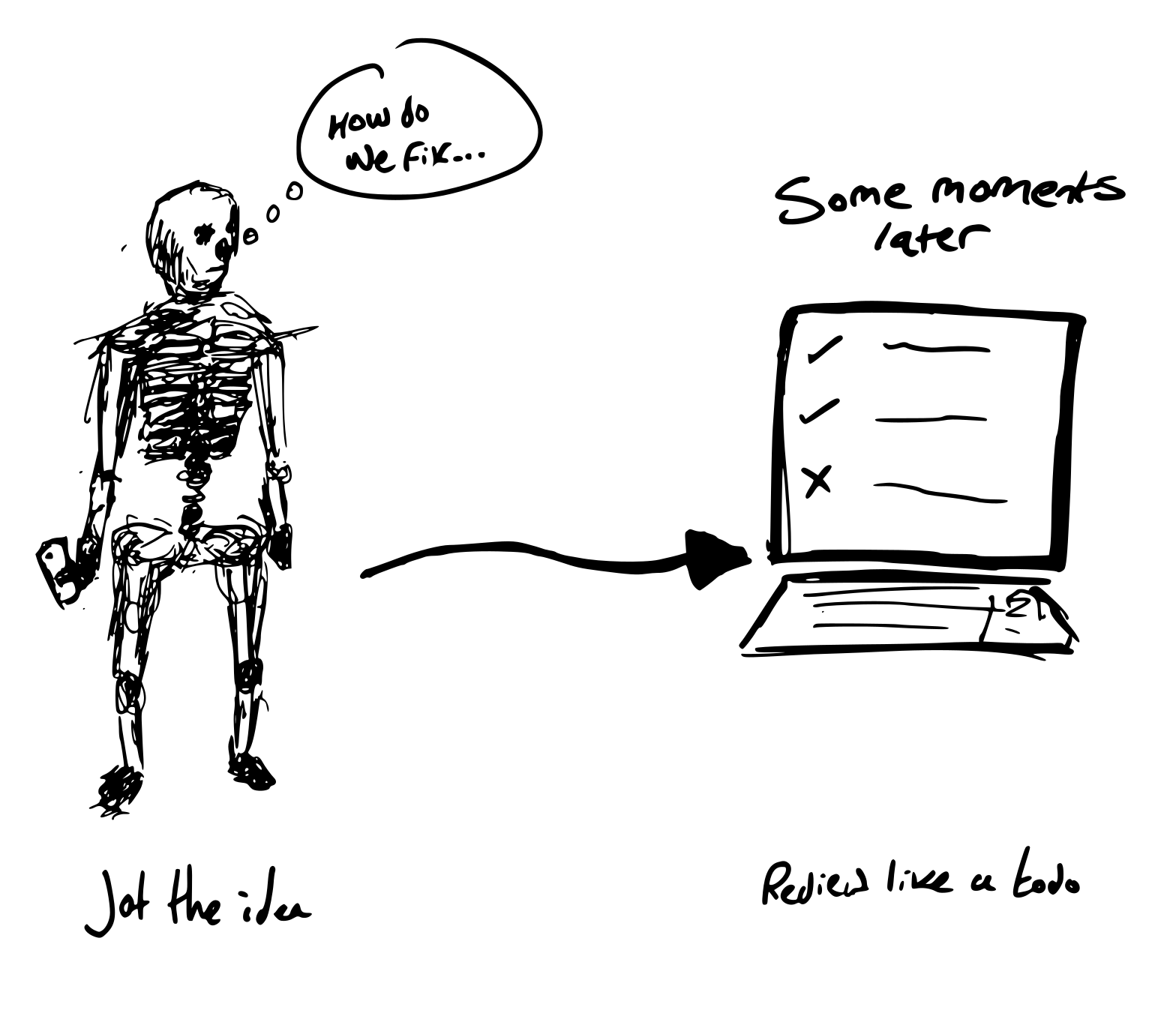
I've taken a laptop to distracting environments and been as productive as I would be in a quiet room. The cognitive load drops when you're not holding everything in your head. You can sketch an idea, let the AI flesh it out, and review it later with fresh eyes.
Cursor cloud agents help here. With a monorepo that has all our codebases on it, I can jot ideas or ask questions from my phone while on the move. By the time I'm back at my desk, there's a list of outputs to review like a todo list. Thinking happens in the gaps; verification happens when I have focus.
First-Pass Work at Scale
Some tasks are tedious but important: reviewing broken sites, auditing privacy policies, checking for consistency across processes. This is where AI works well as a first pass, flagging issues for human review rather than being the final word.
To make it useful, give it enough structure. A well-prompted review includes examples of what good looks like, an overview of what you're checking, and your assumptions upfront.
For example, when auditing a privacy policy: I provide 2-3 examples of policies we've approved with annotations on why, a checklist of red flags (vague data retention, broad third-party sharing, missing deletion rights), and context about our specific requirements. The AI returns a structured assessment. It's not a legal opinion, but a first pass that surfaces "these three clauses need human review" rather than me reading the whole thing cold.
Same pattern works for broken site audits: give it screenshots or HTML, examples of known issues we've caught before, and a rubric. It flags; humans verify.
Do I think it's better than human review? It depends. A well-focused human that has endless time will likely be better. That simply isn't feasible for all tasks.
Filling Gaps in Human Coverage
AI is most valuable in the places where human attention is already thin: where the job isn't getting done as well as you'd like, or isn't getting done at all.
Take PR follow-up reviews. The initial review gets careful attention, but once changes are requested, that follow-up often sails through. Deadlines have tightened, memory of the original review has warped, feedback wasn't quite implemented as asked, or there's a breakdown in communication between author and reviewer. These are the moments where last-minute mistakes creep in.
Bugbot fits well here. It works across all time zones, doesn't get tired, and catches the small things humans skim past on a second look. It can replace the follow-up human review entirely. Not because it's smarter, but because it's more consistent at a task that was already getting short-changed.
Knowing When "Good Enough" Is Good Enough
Not every problem needs a proper solution. Sometimes the right tool to catch a bug would take a week to build, or requires expertise you don't have, or isn't worth the investment for a low-risk edge case. AI can backfill these gaps with something "good enough."
Decide whether something should become a deterministic tool (a linter, a workflow), an MDC rule, or stay a human task. Risk and frequency usually guide the answer. And when you do decide on a deterministic tool or MDC rule, AI can often write that for you too: a "good enough" version that covers 80% of cases. It's not perfect, but it's better than nothing. And nothing is what you had before.
Workspaces & Automation
I've been building a coordination monorepo that sits across our other repositories: a place to hold prompt engineering, tests suites, and shared context for AI agents. Rather than duplicating prompts or losing what works, this gives us a single source of truth for how we're using AI across projects.
Pair that with Bugbot for automated code reviews, and you start building a system where AI augments your pipeline rather than living in a silo. Bugbot can be prompted, either through a BUGBOT.md file or direct instructions, to check work in specific ways. Lately I've been triggering it on Dependabot PRs to flag coverage gaps and riskier upgrades in dependencies. It's not perfect, but it catches things humans skim past on routine updates.
Combining AI with Traditional Approaches
Deterministic tests and build pipelines limit AI's unpredictability. If an AI suggests a change, the test suite still has to pass. If it generates a dependency update, Bugbot still flags coverage. The AI doesn't get a free pass; it feeds into the same gates as human work.
Where possible, prefer traditional tooling over prompting. GitHub workflows, linting rules, and type checking are predictable and debuggable in ways that LLM output isn't. Use AI to generate the scaffolding, then lock it down with conventional checks. A well-configured workflow will catch issues more reliably than hoping the model remembers your instructions.
Instead of handing someone an open-ended AI assistant and hoping for the best, you wrap it in guardrails: CI that fails on bad output, templates that constrain the problem space, review gates that catch mistakes before they ship. They get the speed boost; the system absorbs the risk.
The key to trusting AI output: don't trust it. Verify it with the same tooling you'd use anyway.
The Caveat
All of this requires understanding what you're looking at. AI is a force multiplier for expertise, not a replacement for it.
I've seen people try to automate every single interaction they have: emails, messages, even casual conversations. I think this drives toward mediocrity. If everything you produce is AI-assisted, nothing has a sense of 'you'.
Use the time AI saves you to hone in on the work you actually enjoy. Go deeper on the problems that interest you. Invest in human connection: the conversations, mentoring, and collaboration that can't be templated.